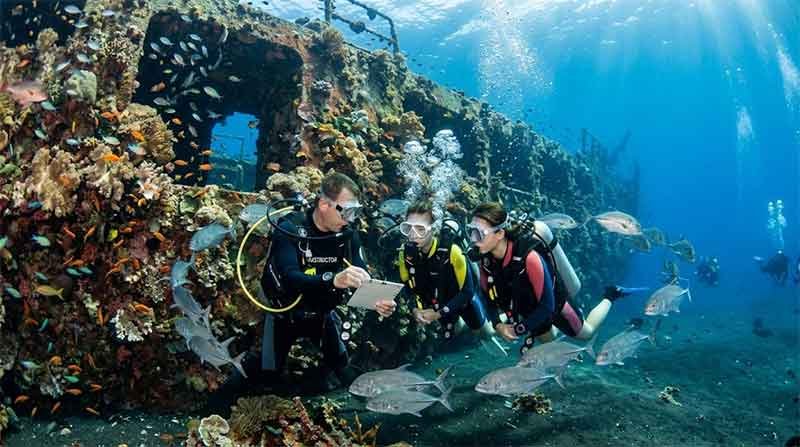
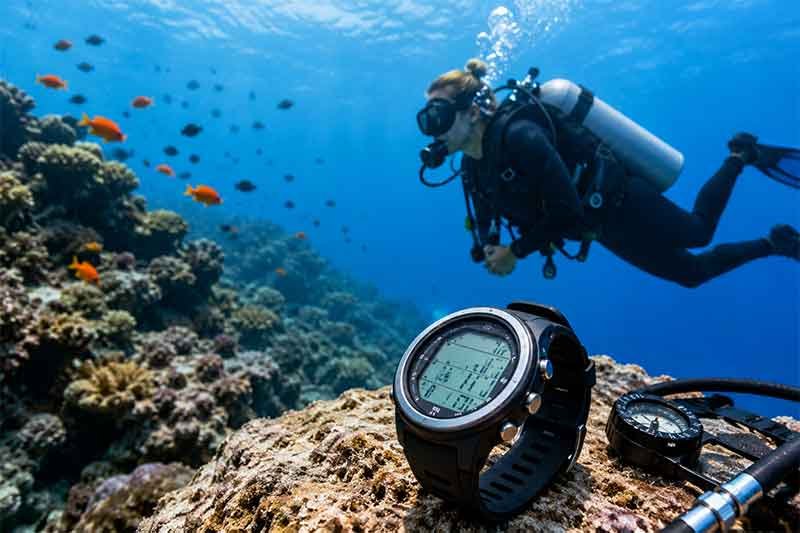
Dive Computers for Beginners are one of the most valuable pieces of scuba equipment any new diver can own. While many entry-level divers begin by renting gear from dive centers, understanding how a dive computer works is essential for improving safety, increasing confidence, and enjoying longer, more relaxed dives.
Modern dive computers continuously calculate your depth, dive time, ascent rate, and no-decompression limits, making them far more accurate than traditional dive tables.
Whether you plan to dive occasionally on vacation or become a certified diver who explores destinations around the world, learning about dive computers is an important step toward becoming a safer and smarter diver.
What Is a Dive Computer?
A dive computer is an electronic device that monitors your dive in real time. It tracks important information underwater and calculates your nitrogen absorption based on your actual dive profile rather than relying on fixed dive tables.
Unlike printed dive tables that estimate your dive conservatively, a dive computer adjusts continuously as your depth changes. This allows divers to make informed decisions during every stage of the dive.
Most dive computers display:
- Current depth
- Maximum depth reached
- Dive time
- Water temperature
- Remaining no-decompression limit (NDL)
- Ascent speed
- Safety stop countdown
- Surface interval
- Battery status
Many modern models also include digital compasses, air integration, Bluetooth connectivity, and smartphone synchronization.
Why Beginners Should Use a Dive Computer
Many beginner divers assume dive computers are only necessary for advanced divers. In reality, they are even more beneficial for new divers.
A beginner often has limited experience monitoring depth, time, and ascent rate simultaneously. A dive computer simplifies these tasks by providing instant information and warning alerts.
Benefits include:
- Increased diving safety
- Reduced risk of decompression sickness
- Easy-to-read underwater information
- Better dive planning
- Automatic dive logging
- More confidence during certification and fun dives
Rather than memorizing complicated dive tables, beginners can focus on buoyancy, breathing, and enjoying marine life.
How a Dive Computer Works
A dive computer uses pressure sensors to determine your underwater depth.
As you descend, the computer continuously calculates how much nitrogen your body theoretically absorbs using mathematical decompression algorithms.
The computer updates calculations every few seconds and adjusts based on:
- Current depth
- Bottom time
- Previous dives
- Surface intervals
- Ascent speed
If you ascend too quickly, the computer warns you immediately.
If you stay underwater too long, it alerts you before entering decompression diving.
Understanding No-Decompression Limits (NDL)
One of the most important numbers displayed is the No-Decompression Limit.
The NDL tells you how much longer you can remain at your current depth before mandatory decompression stops become necessary.
For example:
- At shallow depths, your NDL may exceed one hour.
- At deeper depths, the limit becomes much shorter.
The dive computer constantly updates this number as your depth changes.
Beginners should always remain well within their NDL instead of pushing it to the limit.
Safety Stops Explained
Most dive computers automatically remind divers to perform a safety stop.
A typical safety stop is:
- 3 to 5 minutes
- At approximately 5 meters (15 feet)
This pause allows excess nitrogen to leave the body gradually and is considered good diving practice, even when not required.
Many dive computers include a countdown timer for the safety stop.
Why Ascent Rate Matters
Ascending too quickly increases the risk of decompression sickness.
Your dive computer measures your ascent speed and provides visual or audible warnings if you exceed the recommended rate.
A slow, controlled ascent is one of the easiest ways to improve dive safety.
Types of Dive Computers
Wrist Dive Computers
These are the most common models.
Advantages include:
- Compact size
- Easy to read
- Comfortable to wear
- Ideal for recreational diving
Most beginners choose wrist-mounted computers.
Console Dive Computers
These are integrated into the regulator console.
Advantages include:
- Larger screen
- Easy access with pressure gauge
- Less chance of forgetting it
Some dive centers still use console-style computers in rental equipment.
Watch-Style Dive Computers
These resemble everyday smartwatches.
Advantages include:
- Lightweight
- Stylish
- Can be worn daily
- Suitable for travel
Many experienced divers prefer these because they double as everyday watches.
Features Beginners Should Look For
Not every advanced feature is necessary for a first dive computer.
The most useful beginner features include:
Large Display
A clear screen is easier to read underwater, especially in low visibility.
Large numbers reduce confusion during the dive.
Simple Navigation
Menus should be straightforward.
Complicated settings can be frustrating for new divers.
Audible Alarms
Audio alerts notify you about:
- Fast ascent
- Low battery
- Safety stop
- NDL warnings
These alerts improve situational awareness underwater.
Nitrox Compatibility
Even if you currently dive on regular air, choosing a Nitrox-compatible computer prepares you for future certifications.
Long Battery Life
Some computers use replaceable batteries.
Others feature rechargeable lithium batteries.
Both options work well if maintained properly.
Bluetooth Connectivity
Many modern dive computers allow automatic transfer of dive logs to a smartphone.
This makes reviewing dives much easier.
Common Display Information
During most dives, the screen displays:
- Current depth
- Maximum depth
- Dive time
- Water temperature
- NDL
- Ascent speed indicator
- Safety stop timer
- Battery level
Understanding these numbers before entering the water improves confidence.
How to Read a Dive Computer
Before your dive:
- Confirm battery status
- Check dive mode
- Verify Nitrox settings if applicable
- Review alarms
During your dive:
- Monitor depth regularly
- Watch remaining NDL
- Maintain slow ascents
- Complete the safety stop
After your dive:
- Review dive statistics
- Check maximum depth
- Record observations
- Rinse the computer with fresh water
Mistakes Beginners Should Avoid
Ignoring Warning Alarms
Never ignore ascent or decompression warnings.
The computer provides alerts for your safety.
Sharing Computers
Every diver absorbs nitrogen differently.
Each diver should use their own computer throughout the day.
Switching computers between dives can produce inaccurate calculations.
Forgetting Surface Interval
Your computer tracks residual nitrogen after each dive.
Always leave it on between dives so calculations remain accurate.
Not Reading the Manual
Every manufacturer has slightly different menus and algorithms.
Spend time learning your device before diving.
Dive Computer Maintenance
Proper care extends the life of your equipment.
Maintenance tips include:
- Rinse thoroughly with fresh water
- Dry before storage
- Avoid prolonged direct sunlight
- Store in a cool, dry location
- Inspect buttons regularly
- Replace batteries when needed
- Update firmware if available
Good maintenance ensures reliable performance for years.
Renting vs Buying
Many beginners wonder whether they should rent or purchase a dive computer.
Renting
Pros:
- Lower upfront cost
- Good for occasional vacations
- No maintenance
Cons:
- Different model every trip
- Less familiarity
- Previous dive history may not match your diving schedule
Buying
Pros:
- Consistent familiarity
- Personalized settings
- Complete dive history
- Better long-term value
- Improved confidence underwater
If you dive several times each year, owning a dive computer often becomes worthwhile.
Are Expensive Dive Computers Better?
Not necessarily.
Many entry-level dive computers provide everything recreational divers need.
Higher-priced models typically include:
- Air integration
- Multiple gas support
- Trimix capability
- Digital compass
- Color displays
- Technical diving modes
Most beginners rarely need these advanced functions.
Choosing a reliable, easy-to-use model is usually more beneficial than purchasing the most expensive option.
Traveling With a Dive Computer
Dive computers are excellent travel companions because they are lightweight and compact.
When traveling:
- Pack it in your carry-on luggage
- Protect the display with a case
- Charge rechargeable models before departure
- Bring charging cables or spare batteries if required
Many divers wear watch-style computers throughout their trip to avoid forgetting them.
Tips for First-Time Dive Computer Users
Before your first dive:
- Practice using the buttons.
- Learn the screen layout.
- Understand the warning icons.
- Know how to start dive mode.
- Read the quick-start guide.
- Ask your dive instructor to explain any unfamiliar features.
A few minutes of preparation can make your first dive much more enjoyable.
Related: Should You Bring Your Own Dive Gear to Bali?
Frequently Asked Questions
Do I need a dive computer for my Open Water course?
Many certification agencies and dive centers provide rental computers, but learning to use one during your course is highly recommended.
Can a dive computer prevent decompression sickness?
No. It helps you manage your dive safely, but following safe diving practices and staying within recommended limits is still essential.
How long does a dive computer last?
With proper care, many dive computers remain reliable for five to ten years or more, depending on the model and maintenance.
Can beginners use advanced dive computers?
Yes, but many advanced models include features that recreational beginners may never use. A simple, user-friendly computer is often the better choice.
Should I still learn dive tables?
Yes. Understanding dive tables builds foundational knowledge and helps you understand the calculations your dive computer performs.
Related: Choosing the Right Dive Mask
Conclusion
Dive Computers for Beginners are one of the best investments a new scuba diver can make. They provide real-time information, improve dive safety, simplify dive planning, and help divers build confidence underwater. By understanding how a dive computer works, monitoring your no-decompression limits, maintaining a safe ascent rate, and caring for your device properly, you can enjoy safer and more enjoyable dives throughout your diving journey. Whether you rent equipment during your certification course or purchase your own computer for future adventures, learning to use this essential piece of gear will make every dive more informed, comfortable, and rewarding.